Early concept
Workbench canvas + copilot
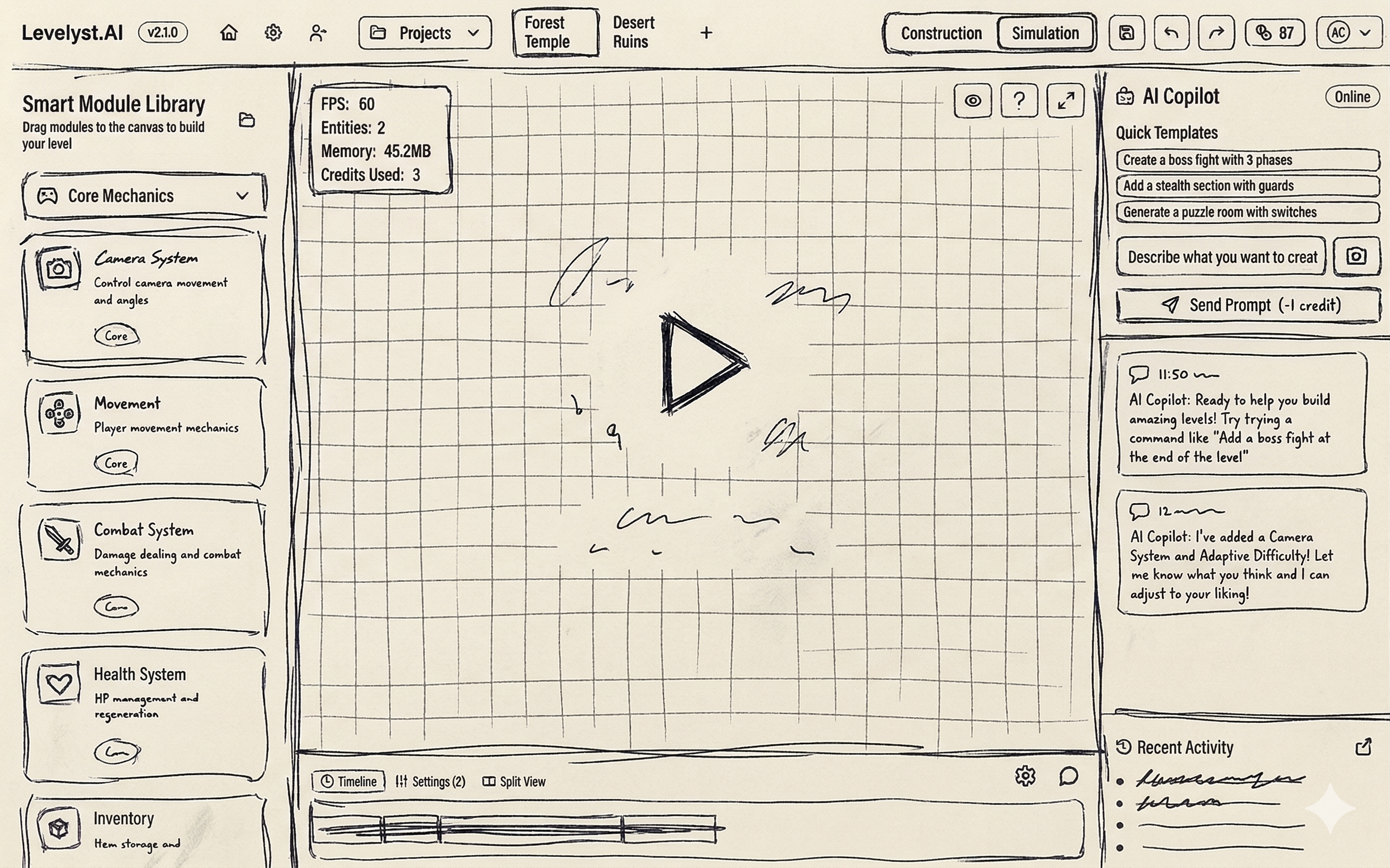
A rough pass on the graph canvas, module tray, and AI copilot before the interface became a polished editor.
Case Study
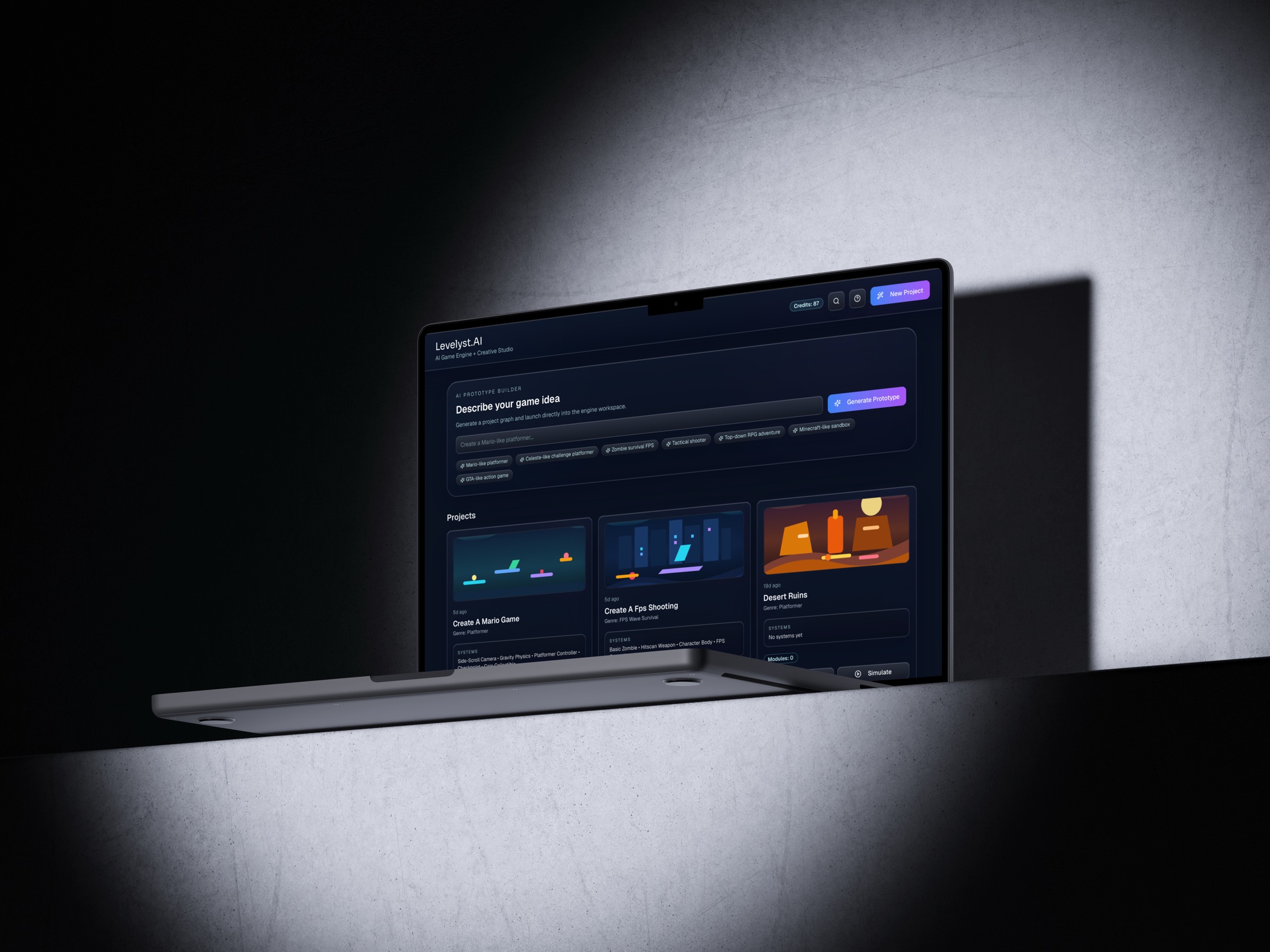
Levelyst.AI is a concept for turning a game prompt into a playable prototype direction, using reviewable blueprints, reusable smart modules, and a simulation-ready workbench before a team spends time building from scratch.
Overview
Problem
Game ideas are easy to describe, but teams need something playable before feedback becomes specific and useful.
Audience
Solo builders, small game teams, and design collaborators who need a shared prototype direction before production work begins.
Role
Product strategy, workflow design, interface design, prototyping, and framing the narrative around how AI generation becomes a usable prototype flow.
Scope
Define the prompt-to-blueprint system, shape the smart-module workbench, and prove that generated output can stay editable through build, simulate, and debug.
Outcome
A concept that turns a rough brief into a reviewable plan, a modular graph, and a playable prototype path the team can critique immediately.
Friction
Early game concepts usually break across docs, whiteboards, and half-built prototypes before anyone can react to the same thing.
Design Goal
Move from prompt to something testable quickly, while keeping the output loose enough for iteration instead of pretending it is final production content.
Target User 1
Need a playable direction quickly so the first prototype is guided by a real structure instead of a blank scene.
Fast first pass
Target User 2
Need alignment before production so mechanics, tone, and scope are discussed against the same prototype direction.
Shared reference
Target User 3
Need something concrete to critique so feedback can target flow, feel, and system choices instead of vague intent.
Better critique
These sketches helped lock the relationship between prompt input, reusable modules, and a workspace that could move into simulation without feeling like a black box.
Early concept
A rough pass on the graph canvas, module tray, and AI copilot before the interface became a polished editor.
Early concept
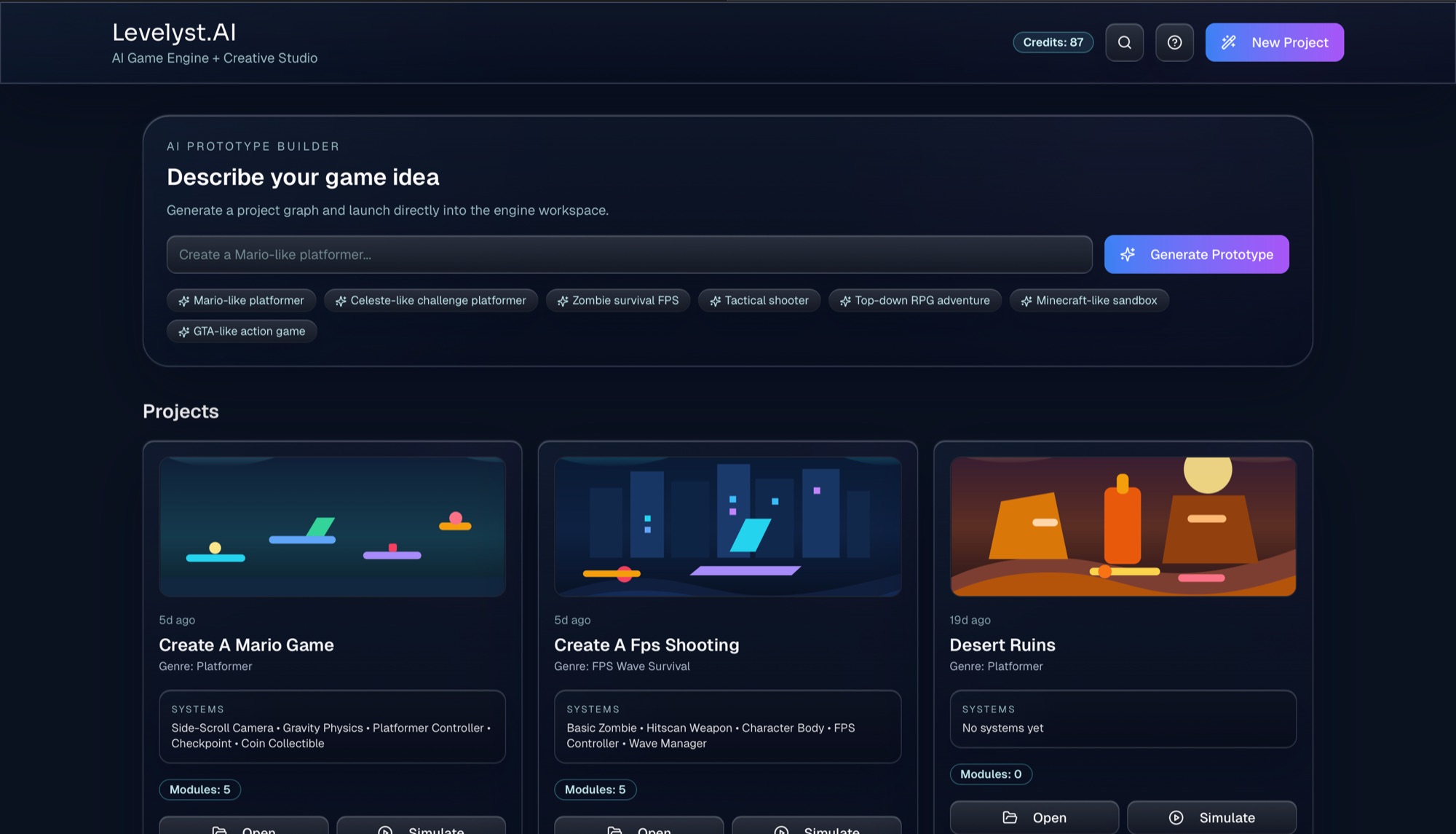
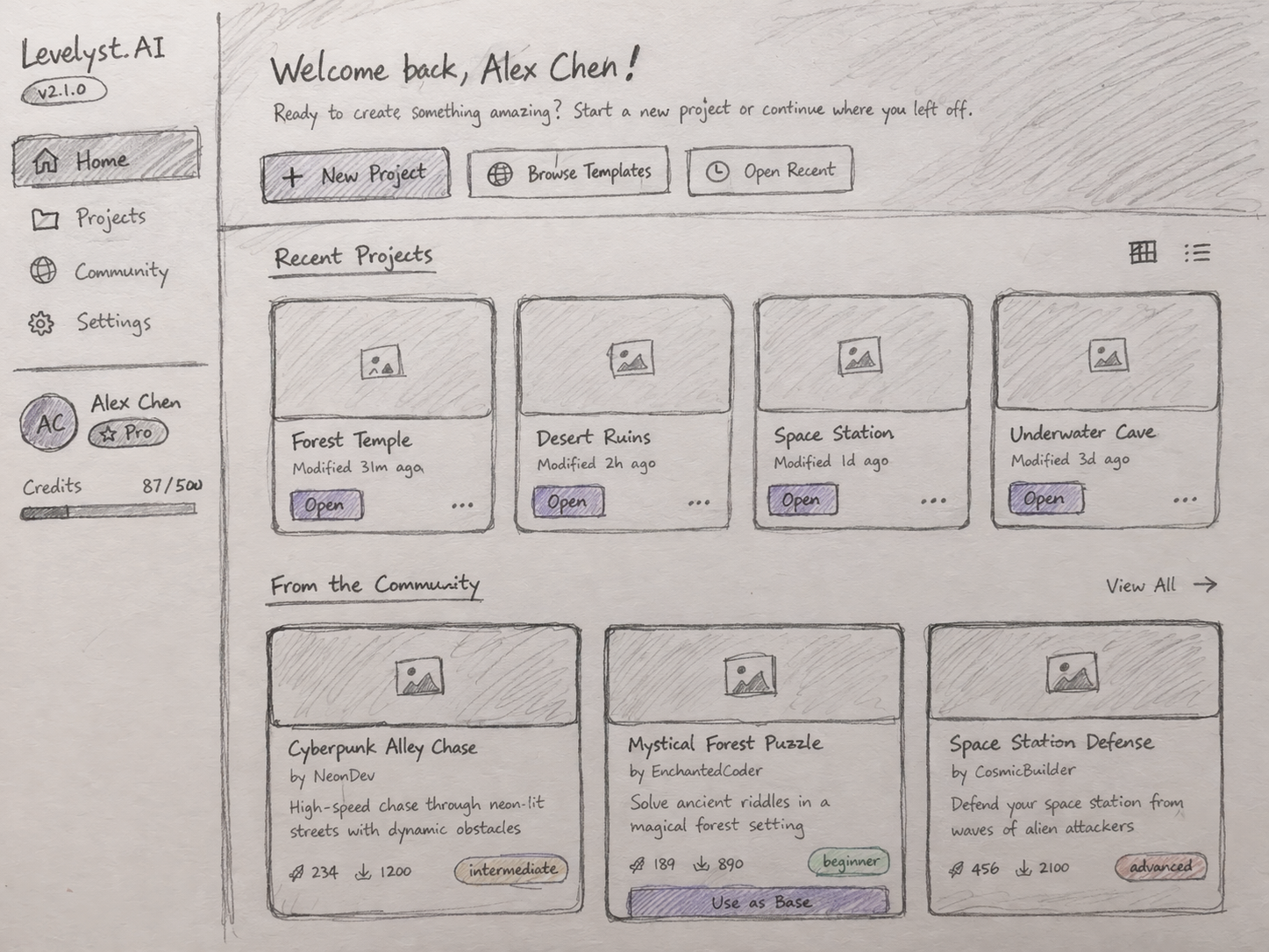
Explored how projects, templates, and community inspiration could live alongside quick project starts.
Early concept
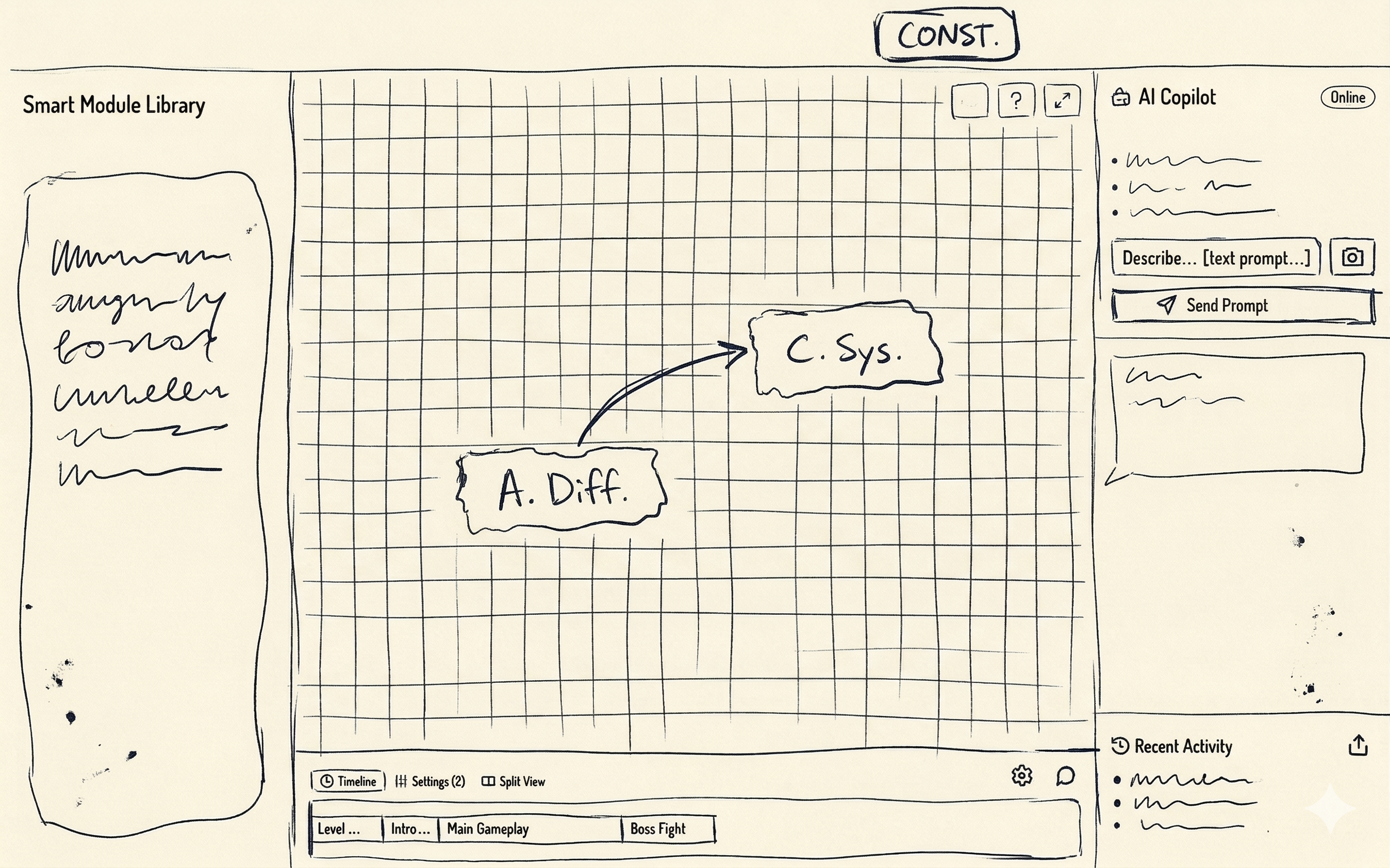
Tested a more graph-first construct mode where systems and flow beats could be shaped visually.
Early concept
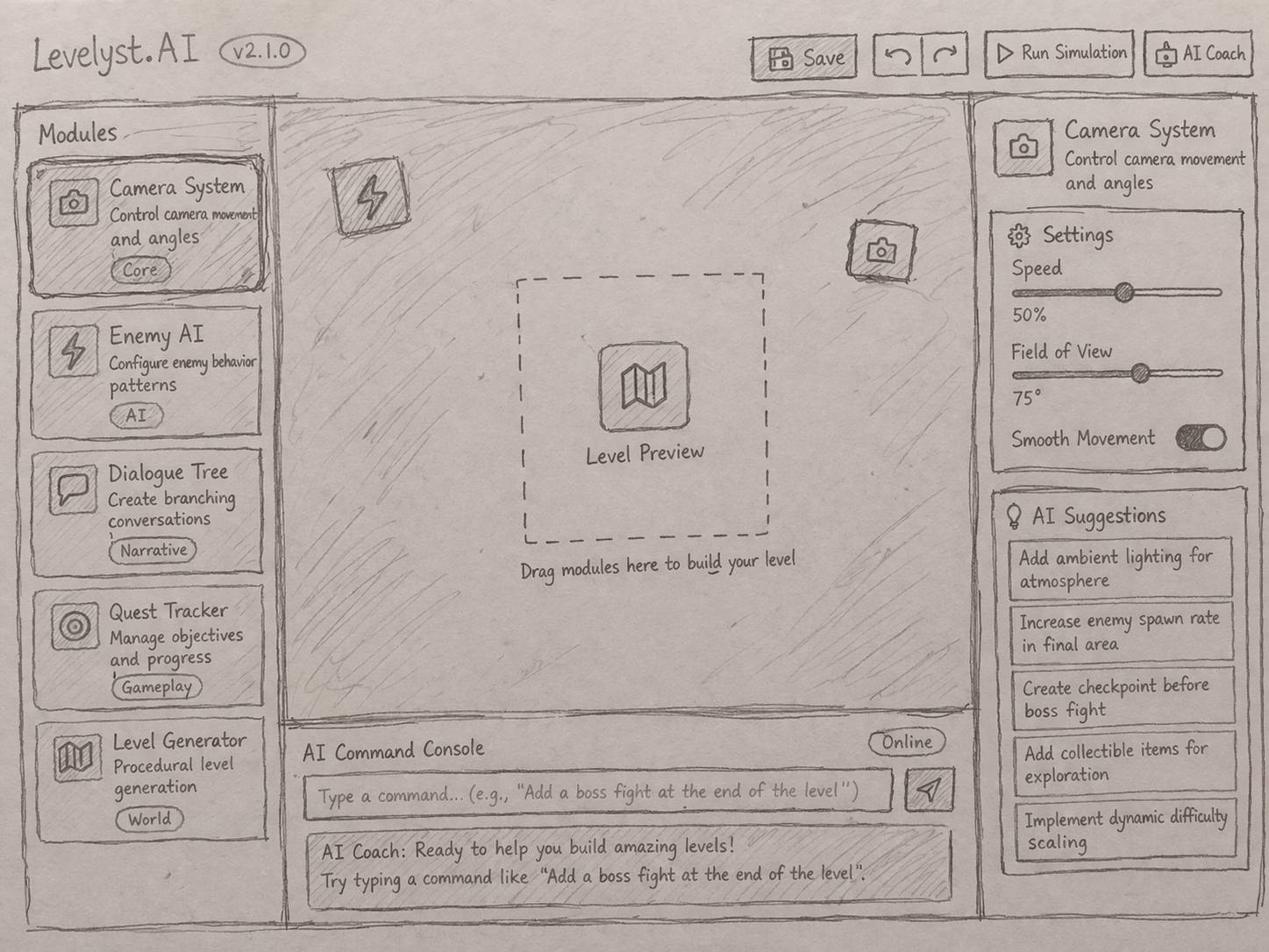
Focused on how modules, AI suggestions, and simulation controls could stay readable in one builder screen.
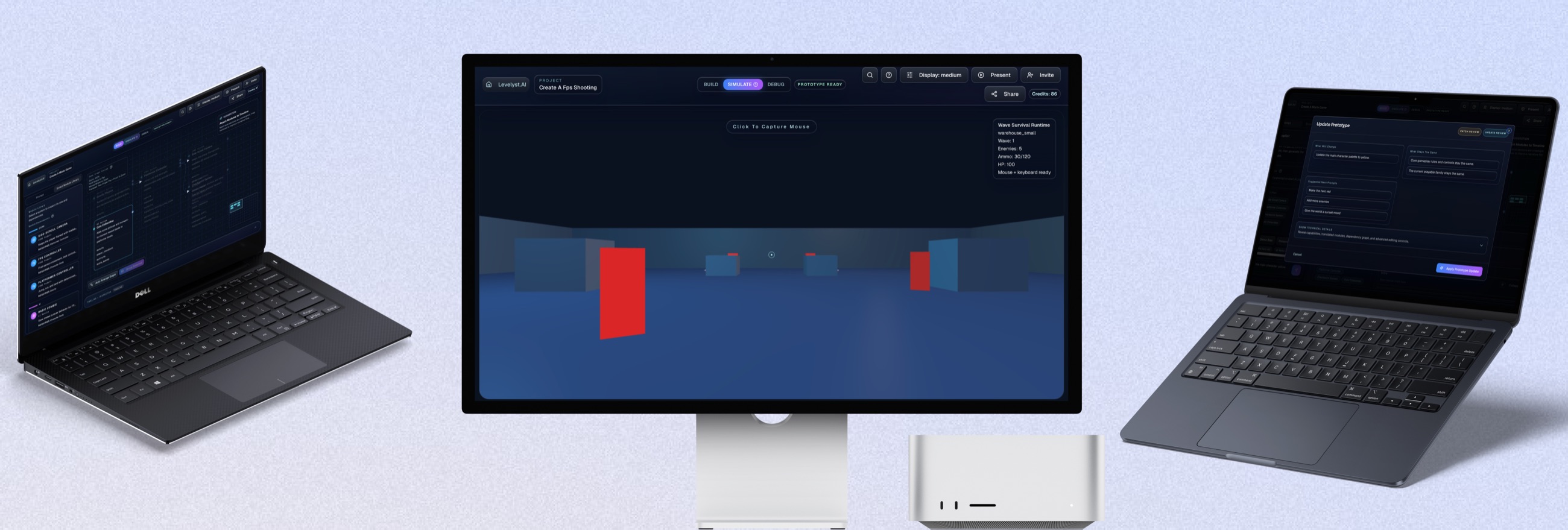
The flow starts with a new project, turns the prompt into an AI Blueprint, generates the module graph, and drops straight into simulate so the concept can be tested instead of just admired.
Levelyst already supports a broader prompt surface, but the strongest runtime proof is still the 2D platformer and 3D FPS survival paths. The other families show where the product can steer next without pretending they are equally polished now.
The most proven 2D path, already grounded in movement, camera framing, pickups, and checkpoint-ready prototype structure.
The clearest 3D path today, built around first-person movement, hitscan combat, enemy pressure, and wave-based runtime testing.
Aiming and encounter prompts can already steer in this direction, but the deeper team-tactics layer still needs a more dedicated runtime pass.
Quest-like exploration and system-driven adventure prompts fit the planning model, even though the runtime path is not as refined yet.
Open-ended building prompts can be translated toward a supported slice, but the construction loop is still more directional than production-ready.
Broad GTA-like action prompts can be framed into a playable direction, though the family is still more conceptual than fully runtime-proven.
The 2D path lands in a rooftop platformer with movement, checkpoints, and pickups already wired into something you can immediately test.
The same system can shift into a survival-FPS direction and still stay grounded in runtime behavior instead of a fake cinematic.
The module layer gives Levelyst.AI a stronger promise than image generation alone. Playable direction is assembled from reusable behaviors the team can keep shaping after the first pass.
Defines jump, run, and landing behavior for a deterministic side-scrolling character.
Provides the movement rules that make jumping, falling, and grounded timing feel believable.
Keeps the player readable in motion and frames level progression without extra setup.
Sets up first-person movement and look controls for shooter-style prototype families.
Adds immediate weapon feedback so shooter concepts can be tested as interaction, not just described.
Drops in a simple enemy loop so encounter pacing can be validated inside the generated prototype.
Acts as the runtime body foundation for movement, collision, and enemy behavior in 3D spaces.
Gives platformer runs a progression loop that can be evaluated without a larger save framework.
Adds pickup logic and reward beats so the prototype has something to optimize around.
Coordinates encounter pacing for survival-style runs where enemies arrive in timed pressure loops.
Planning
Prompt, plan chips, and recommendations stay visible while the graph is being shaped into a testable prototype.
Dependency Trace
Inputs, outputs, and linked systems make it easier to see what has to connect before simulate is worth trusting.
The live workbench keeps the graph, module details, and planning context in one place so generation still feels editable after the first draft.
Review Gate
Updates can be inspected before the next generation step lands, which keeps the prototype from feeling like a black box.
Team Use
Explicit change review makes the output easier to share with collaborators who need to understand what the next pass is actually doing.
Instead of hiding the next pass behind a single regenerate action, Levelyst.AI can surface what changed before the team commits to it.
The updated concept now reads as a product that helps a team move from prompt to blueprint to simulation, while keeping the generated output modular enough to refine instead of replace.
Runtime Paths
2D + 3D prototype directions
System Basis
Reusable smart modules
Core Promise
Prompt to playable prototype
Takeaways
Try it yourself